 LivyFlow
Budgeting that stays on your iPhone.
Plan every dollar in seconds. LivyFlow keeps your budgets private on your device and opens with Face ID — no sign-up, no syncing, no ads.
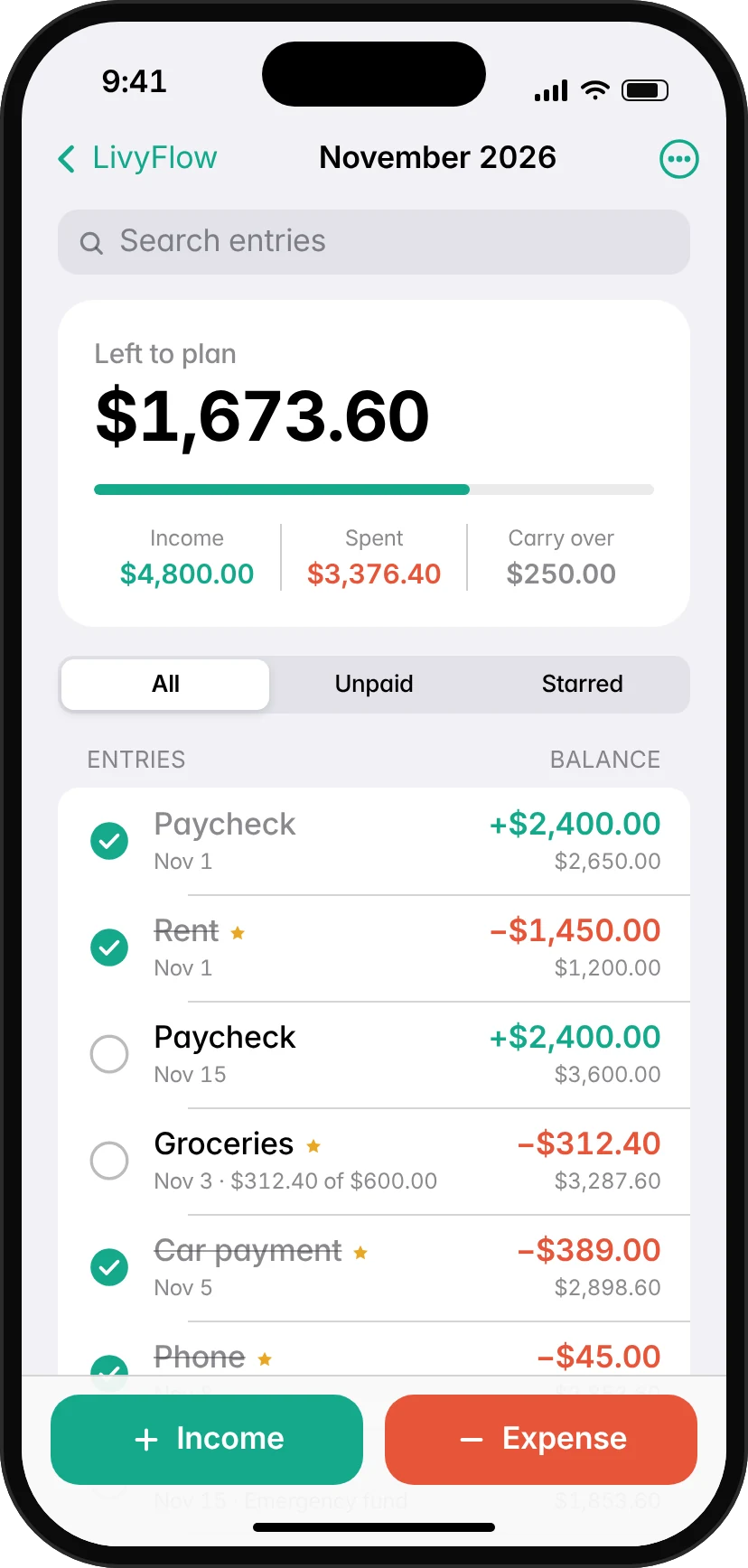
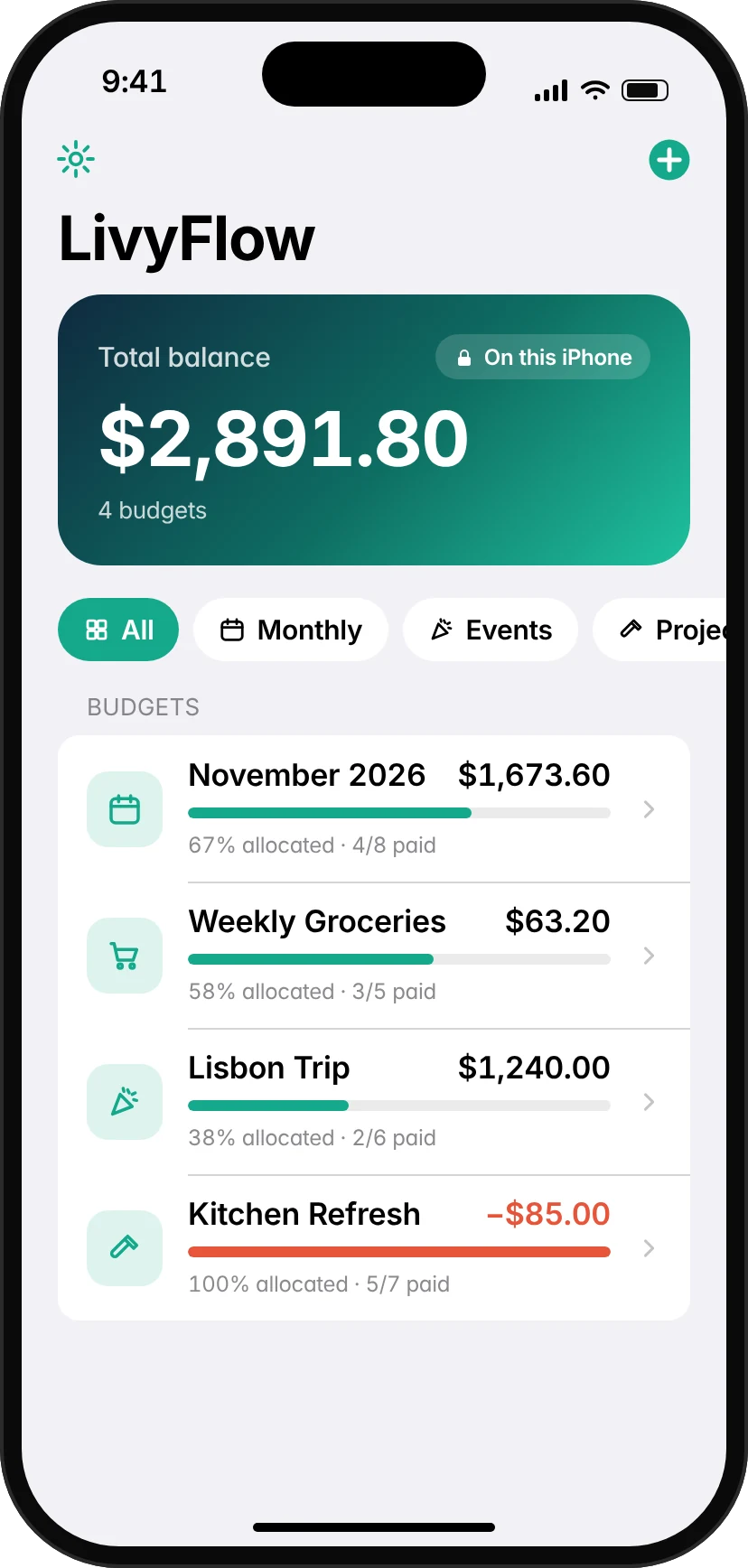
Everything you need. Nothing you don't.
A calm, fast budget that gives every dollar a job.
Budgets for everything
Monthly, weekly, a trip, a project, groceries — create as many budgets as you like.
Know what's left
A clear “left to plan” number and a running balance after every single entry.
Tick off bills
Mark items paid as you go, and track partial spending for envelopes like groceries.
Star repeating bills
Rent, phone, car — star them once and add them to any budget in one tap.
Roll into next month
Duplicate a budget for the next period with the leftover balance carried over.
Export & back up
Share a budget as CSV, or save a full backup to Files and move it to a new phone.
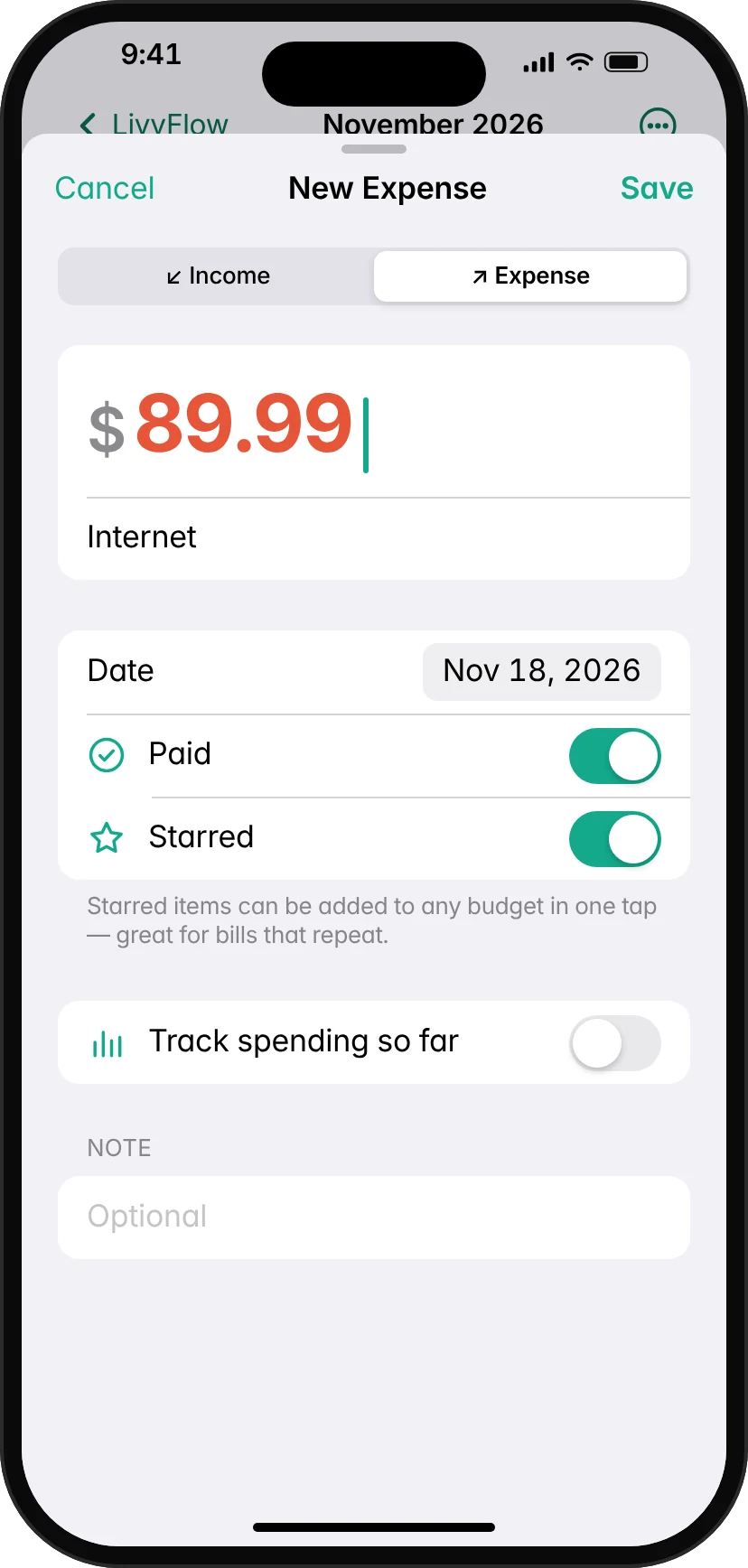
Add it in two taps.
Tap Income or Expense, type the amount, done. Your balance updates instantly.
- Mark paid or star it right away
- Track “spent so far” for flexible envelopes
- Search, filter and drag to reorder
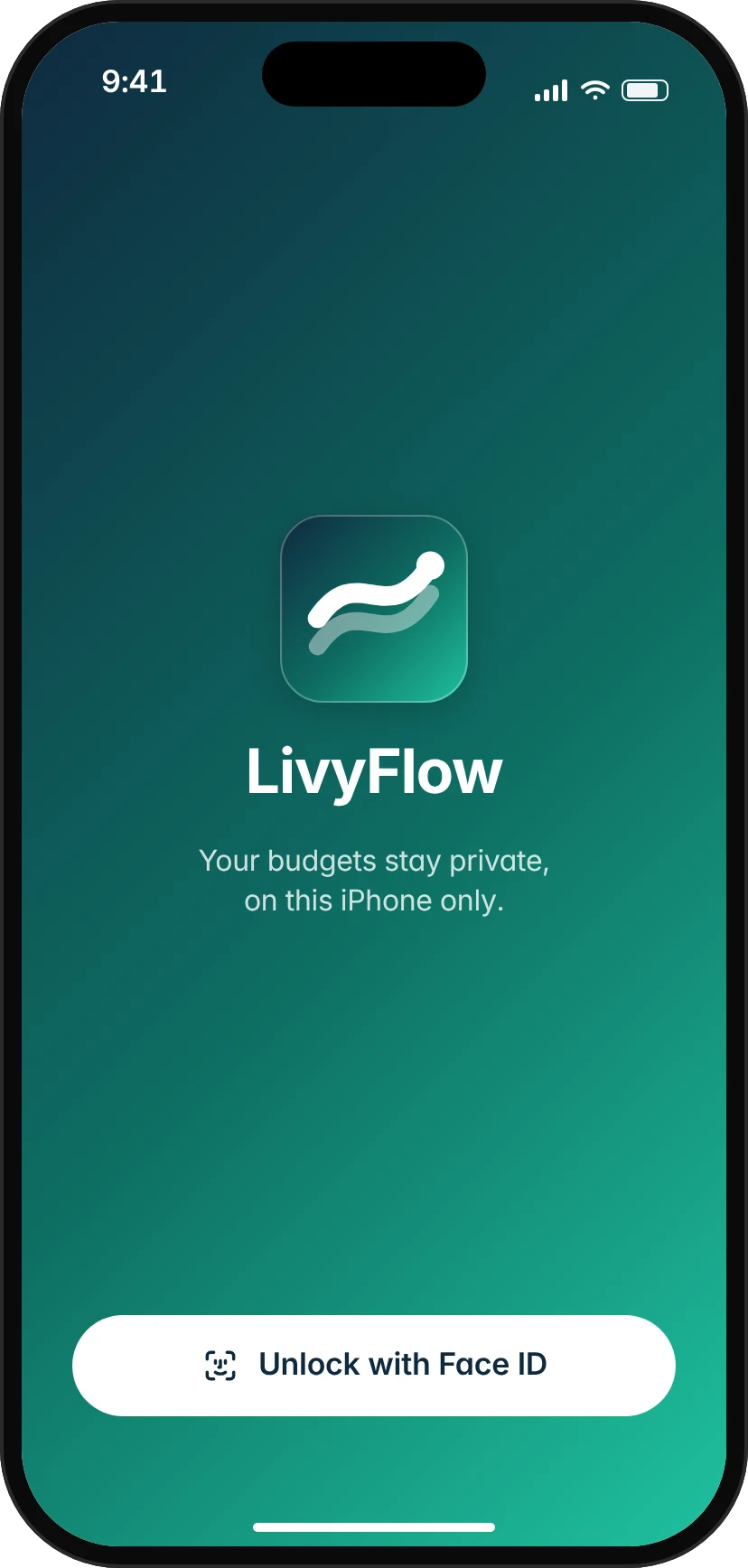
No password. Just you.
LivyFlow unlocks with your iPhone's own Face ID, Touch ID or passcode, and locks again when you leave. Nothing to sign up for, nothing to forget.
- Balances hidden in the app switcher
- Turn the lock on or off in Settings
- Light and dark mode
Your budgets never leave your device.
LivyFlow has no servers and no accounts. Your data lives in the app's private storage on your iPhone — and nowhere else.
Questions, answered.
Do I need to create an account?
No. There's no sign-up and no login. You open LivyFlow with your iPhone's own Face ID, Touch ID or passcode — or turn the lock off entirely.
Where is my data stored?
Only on your device, inside LivyFlow's private storage protected by iOS. We don't run servers that receive your data, so we couldn't see your budgets even if we wanted to.
How do I move to a new phone?
Open Settings → Export Backup and save the file to Files or AirDrop it. On the new phone, choose Import Backup. Your normal iPhone backup includes LivyFlow too.
Is it really free?
Yes. Every feature is free with unlimited budgets and entries. No ads, no subscriptions.